Publish Zensical to Codeberg Pages using Forgejo Actions
This guide will tell you how to use Codeberg Pages for hosting a static site for free, than is generated when you push to your git repo at Codeberg.org. We will be using Zensical, but you can use whatever static site generator you want.
I wrote this guide because I could not find anything that explained all the steps in one place. So my hope is that you can get your site up and running within an hour instead of using most of a day like I did. See the Reference section at the bottom of the page for where I got all the pieces from.
Step by step Setup
If you are using another SSG than Zensical, then you need to replace steps 4-6 with what is relevant for your SSG and change the
Install dependenciesandBuild sitesteps in the.yaml
-
Make a new repo called
pageson codeberg to have your site hosted on:username.codeberg.pageIf you you call your repo something else than
pagesit will be hosted on:username.codeberg.page/repo-name -
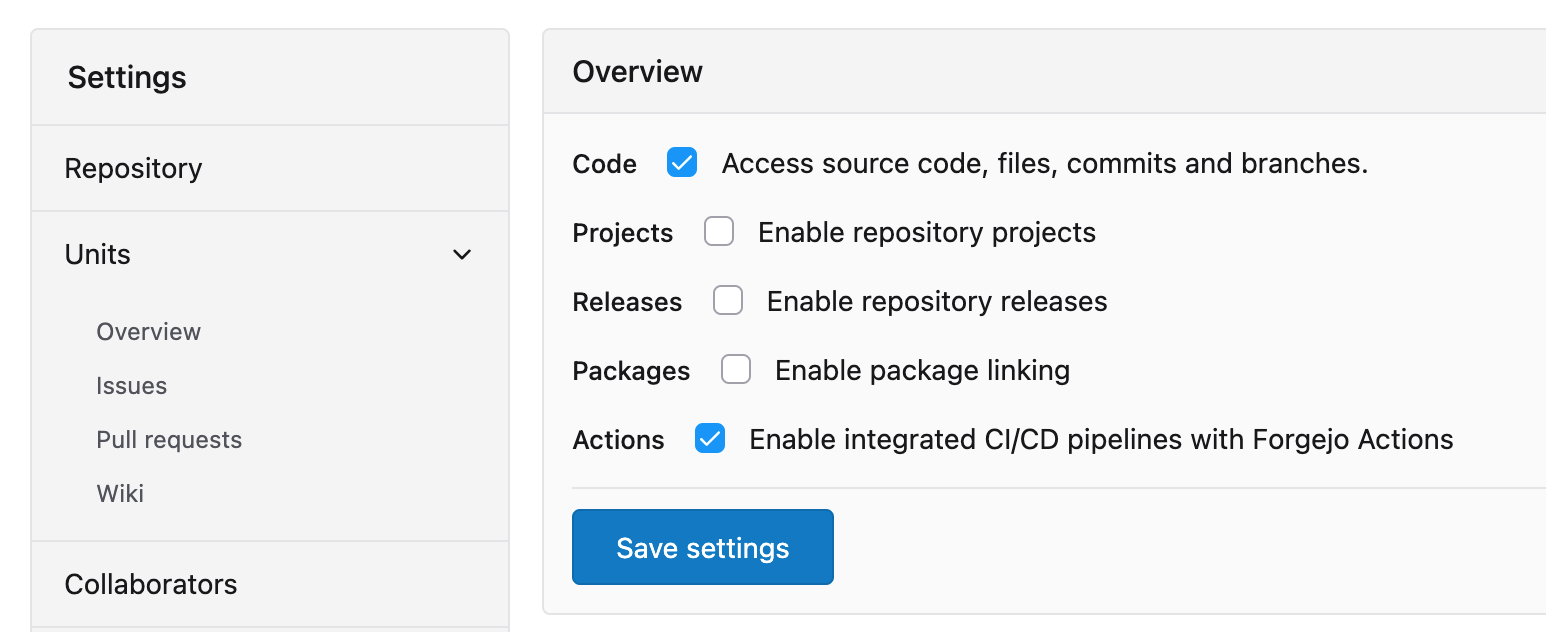
Activate Forgejo Action for your repo by going to: Settings > Units > Overview and add a tick to Actions (and remember to click Save Settings)
-
Clone your repo to your computer:
git clone <URL_TO_REPO_AT_CODEBERG> -
Install the uv package and project manager following: https://docs.astral.sh/uv/getting-started/installation/
-
Install the Zensical static site generator:
cd <REPO_NAME>uv inituv add zensicaluv run zensical new .
-
Add your content to the
docsfolder and configure Zensical to you liking, and test your site withuv run zensical serve -
Make a YAML file called
.forgejo/workflows/publish.yamlwith this content:name: Publish on: push: branches: - main jobs: publish: runs-on: codeberg-tiny-lazy steps: - name: "Checkout repository" uses: actions/checkout@v7 - name: "Install dependencies" uses: https://github.com/astral-sh/setup-uv@v7 - name: "Build site" run: uv run zensical build --clean - name: "Deploy to username.codeberg.page (if repo is named 'pages')" if: ${{ forgejo.event.repository.name == 'pages' }} uses: actions/git-pages@v2 with: site: https://${{ forge.repository_owner }}.codeberg.page/ token: ${{ forgejo.token }} source: site/ - name: "Deploy to username.codeberg.page/repository (if repo is not named 'pages')" if: ${{ forgejo.event.repository.name != 'pages' }} uses: actions/git-pages@v2 with: site: https://${{ forgejo.event.repository.owner.username }}.codeberg.page/${{ forgejo.event.repository.name }}/ token: ${{ forgejo.token }} source: site/ -
Commit and Push your repo to codeberg
git add .git commit -m "Zensical setupgit push
-
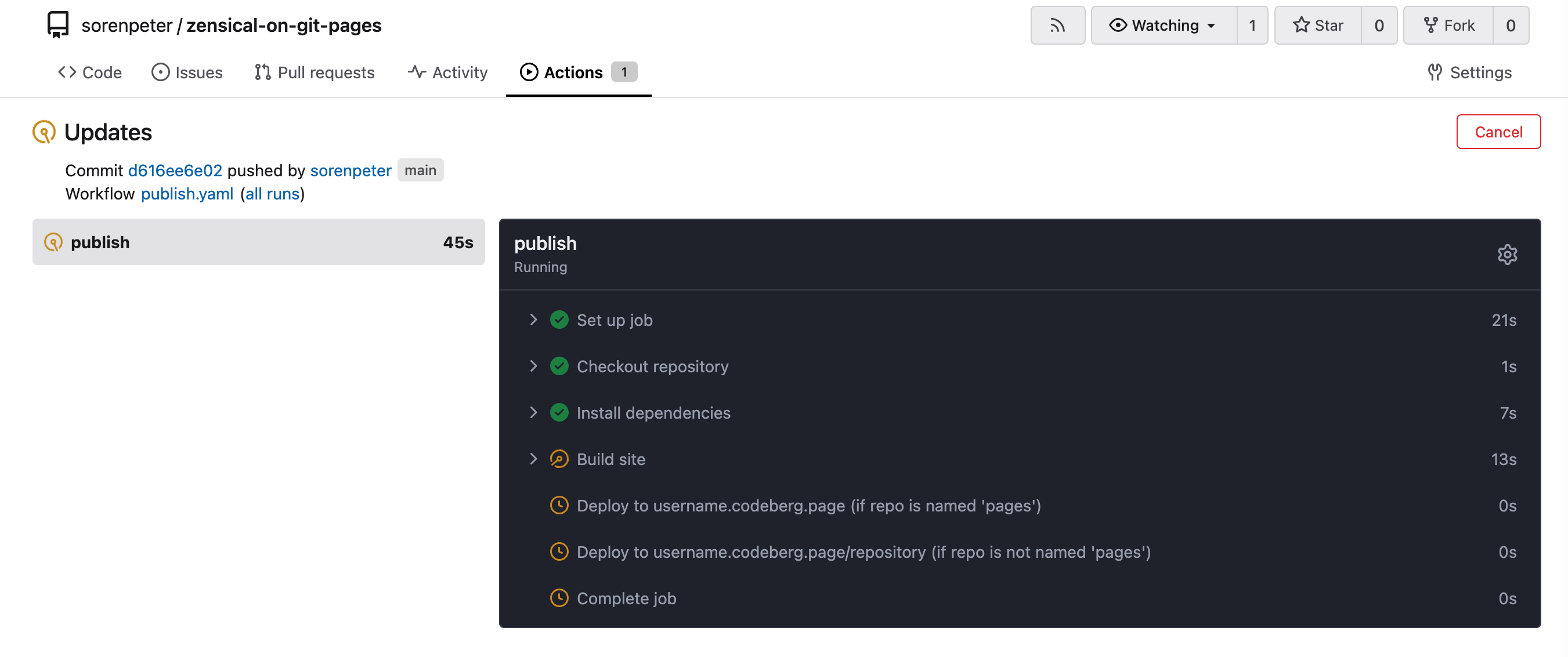
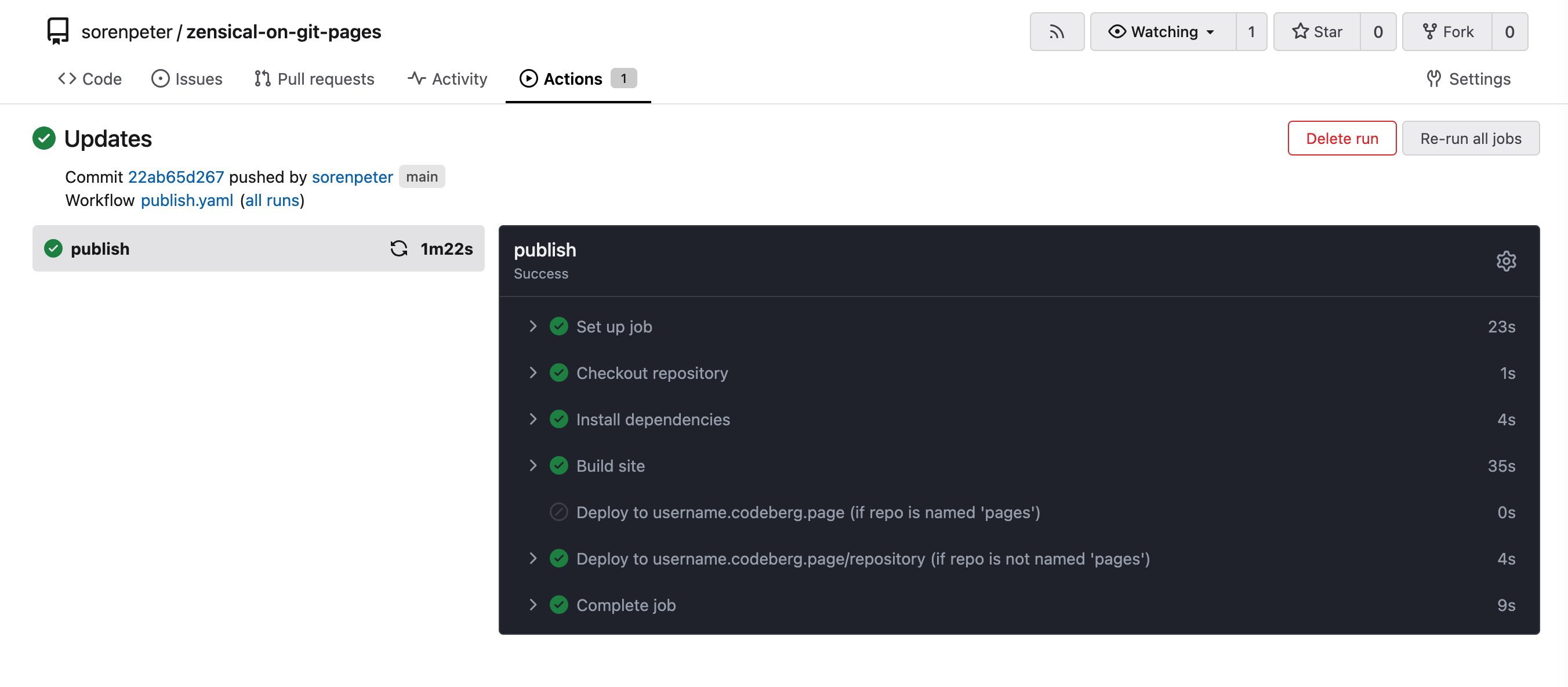
Go to you repo on codeberg and check the build status under the Actions tab:

Job is running:
Job competed:
-
Enjoy your new site
Resources
Official Documentation
- Forgejo Actions | Quick start guide
- Forgejo Action for uploading a directory to a git-pages site - Codeberg.org
- Deploying directly from Forgejo Actions | Codeberg Documentation
- List of actions available on Codeberg eg. for using python, go, nodejs
- How to delete Codeberg Pages (codeberg.page domain) websites? - Codeberg Community
Helpful Blog posts
- How to use Codeberg Pages for MkDocs - Andre_601
- Using git-pages on Codeberg - Andre_601
- blog.bölz.eu - Using Forgejo Actions to Publish to Codeberg Pages
- Migrate from MkDocs to Zensical | Daniel's blog (Using uv instead of python/pip)